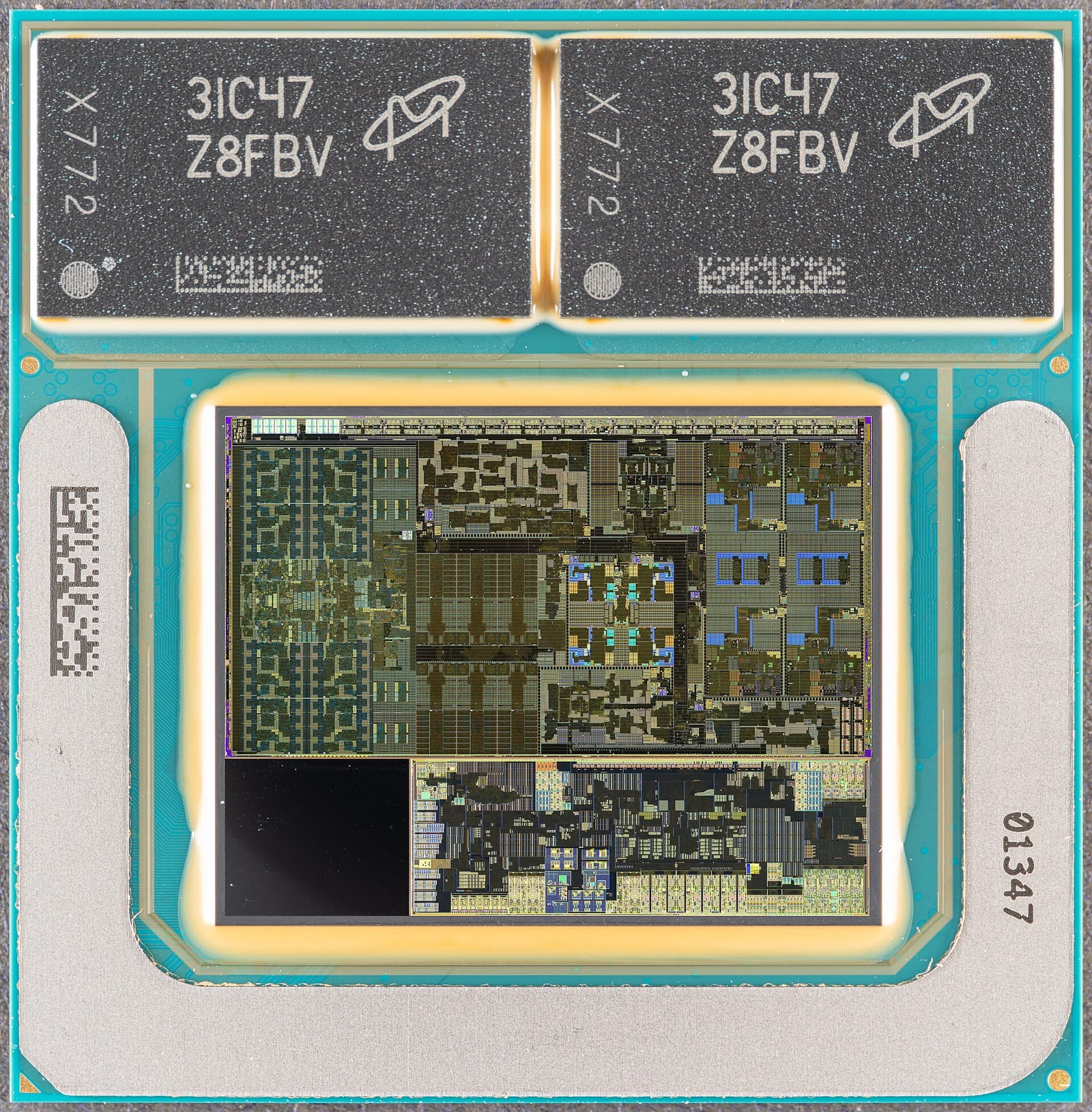
NVIDIA’s RTX Spark laptops, sold by ASUS, Dell, HP, Lenovo, Microsoft and MSI, combine a Blackwell RTX GPU and a Grace CPU in one superchip with up to 128GB of unified memory and up to 1 petaflop of FP4 AI performance, according to the company’s October 28 update. For anyone choosing a laptop to run AI models locally, the 128GB figure matters more than the petaflop. Memory capacity decides which models fit at all, while compute decides how fast they run once they do. This explainer shows how to reason about that trade-off, using RTX Spark as the example.
Why memory is the first limit
A language model is a large set of numbers called weights, and those weights must sit in memory while the model generates text. If they do not fit, the model cannot run, or it runs painfully slowly by swapping data in and out. A rough rule of thumb is that the weights take about the number of parameters multiplied by the bytes used per weight. A model with 8 billion parameters stored at 16 bits per weight needs about 16GB; stored at 4 bits it needs about 4GB. These are our own back-of-envelope figures, not vendor numbers, and real use needs extra room for the context window and software overhead.
On a typical gaming laptop, the GPU has its own dedicated memory, often well under the 128GB figure. A model must fit in that pool to run fast on the GPU. That limit is why many local-AI guides begin with the question “how much video memory do you have?” Our buyer’s guide to hardware for running LLMs locally covers the options in more detail.
What unified memory changes
In a unified design, the CPU and GPU share one pool of memory instead of keeping separate copies. NVIDIA says RTX Spark offers up to 128GB of unified memory. The benefit is that a large model can sit in a single pool that both processors can read, without copying data between them. For local AI, that raises the ceiling on model size well beyond what a typical dedicated GPU memory allows.
The same arithmetic shows what that could mean. A 70-billion-parameter model at 4 bits per weight needs roughly 35GB for weights alone, which would be impossible on many laptops but is comfortable in a 128GB pool. That is our estimate, not a benchmark. NVIDIA’s own launch material also lists a 74-billion-parameter Nemotron model made for agent use on RTX Spark, as noted in our launch report. Independent speed tests have not yet appeared, so treat performance claims as vendor statements.
Smaller models still matter
Bigger is not always better for a laptop. The October 28 update highlights two compact options. Liquid AI’s LFM3 family spans text, vision, audio, omni and decision models on one shared backbone, with open weights. NVIDIA says Liquid’s new 1.7-billion-parameter base model outperforms its previous 2.6-billion-parameter base model, and that the models run on RTX Spark through llama.cpp and vLLM and can be fine-tuned locally.
NVIDIA also introduced Nemotron 3.5 Transcribe, an open-weight speech model that handles transcription, speaker labels and translation in one promptable model across 40 languages. NVIDIA says it has about 4.3 billion active parameters and ranks first on the Hugging Face Open ASR leaderboard; those rankings are NVIDIA’s claims and we have not checked them. Because the weights are open, developers can choose where audio is processed, from a desktop to the cloud. Quantized versions that fit local hardware are listed as coming soon.
Sharing the GPU with background agents
A laptop that runs agents in the background has a new problem: the agent and your foreground app compete for the same GPU. NVIDIA App now includes a resource management control that lets users prioritize the foreground application or give a background agent more resources. The setting is under System > Advanced in the app and requires hardware-accelerated GPU scheduling to be turned on in Windows Settings, per NVIDIA. If you plan to run long-running agents on a laptop, check for a control like this, since otherwise a game or editor can slow down or stall.
How to evaluate an AI laptop
Use this checklist before buying any machine for local AI:
- Memory first. Decide the largest model you want to run, estimate its size at the precision you will use, and add headroom for context.
- Memory type. Check whether memory is unified or split between system RAM and dedicated GPU memory.
- Software support. Confirm that your tools (llama.cpp, vLLM, PyTorch) support the chip.
- Thermals and battery. Thin laptops may throttle under sustained load, so look for independent tests of long runs.
- Price against the cloud. Compare the machine’s cost with renting an API or cloud GPU for your actual hours of use.
What to watch next
- Independent benchmarks of RTX Spark laptops running 30B to 70B models.
- Release of quantized Nemotron 3.5 Transcribe builds for local use.
- Whether competing laptop chips offer similar unified memory capacity.
- Laptop pricing, as memory costs rise across the PC market.
- More agent tools that use the NVIDIA App’s resource sharing controls.
Key takeaways
- RTX Spark combines a Blackwell GPU and Grace CPU with up to 128GB of unified memory and up to 1 petaflop of FP4 AI performance.
- Memory capacity limits which models fit; compute only sets how fast they run.
- Our rule of thumb: parameters times bytes per weight gives the weight size, plus headroom.
- NVIDIA App can now split GPU resources between foreground apps and background agents.
- Performance claims so far come from NVIDIA; independent tests are still needed.
Frequently asked questions
What is unified memory?
It is a design in which the CPU and GPU share one pool of memory instead of keeping separate copies. That lets large models sit in a single pool both can read.
How much memory do I need to run a local AI model?
A rough estimate is the parameter count times the bytes per weight, plus extra room for context and software. A 70B model at 4 bits needs about 35GB for weights alone.
Which laptops use RTX Spark?
NVIDIA says RTX Spark laptops are available from ASUS, Dell, HP, Lenovo, Microsoft and MSI.